Build your first app with Vorx
By The Vorx Team

Welcome to Vorx. This guide takes you from a blank prompt to a running app you can share — no setup, no boilerplate, nothing to install. If you can describe what you want in plain English, you can build it here.
Before you start
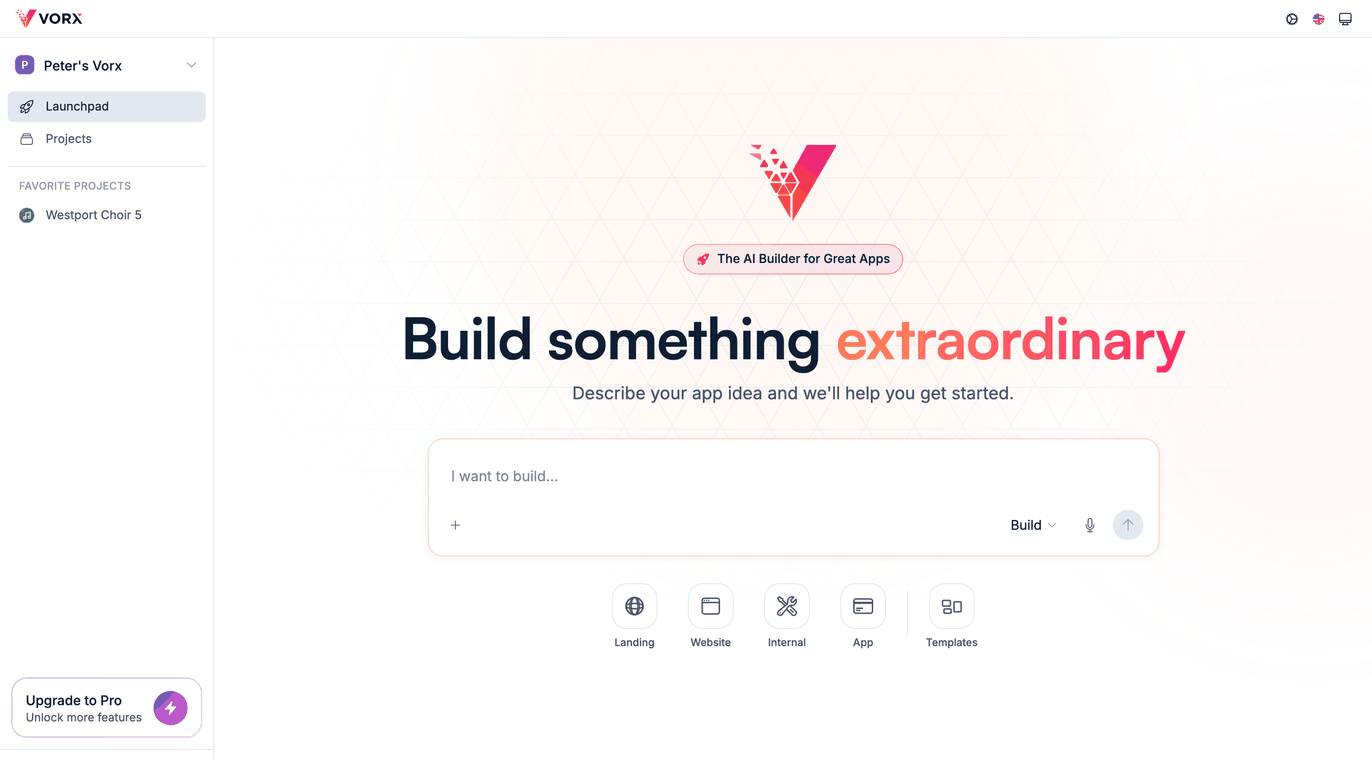
There is almost nothing to set up. Create an account, open a new project, and you land on the Launchpad: one box, one question — what do you want to build? That box is where the whole app comes from. You describe it, Vorx builds it, and a live preview appears beside your words.
Spend a minute on two questions before you type: who is this for, and what is the one thing it has to do well? You don't need a spec — a clear picture in your head is enough. The rest you add by asking.
1. Describe what you want
Write a sentence or two about the app and the people who will use it. Specifics do the work: name the users, the screens they need, and the main action they take.
A good first prompt looks like this:
A reading-list app for a book club. Members add books, mark them as reading or finished, and leave a short review. Show everyone's shelves on a home page.
That is enough for Vorx to plan real screens and a sensible data model behind them. Resist the urge to specify everything now. The fastest route to a good app is a clear first prompt followed by small corrections, not one enormous paragraph.
If you would rather start from a shape than a blank page, pick one of the starting points under the box — Landing, Website, Internal, App — or open Templates and edit from there.
2. Watch it build
Vorx reads your prompt, plans the pages and the data behind them, wires up navigation, and seeds enough sample content that the app looks alive instead of empty. Then it renders a live preview beside the chat. It narrates what it is doing while it works, so a first build is something you can read rather than a spinner you wait on.
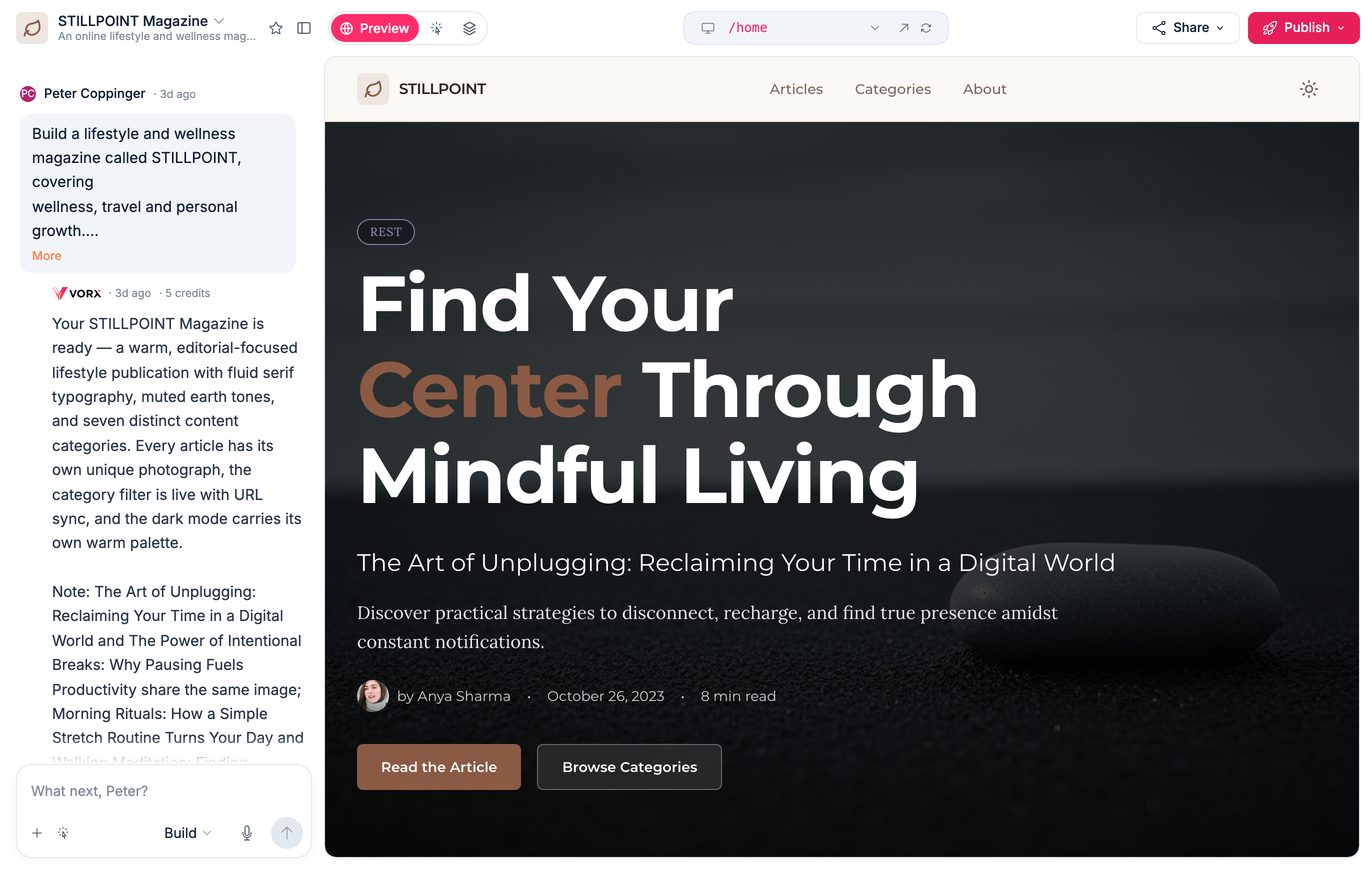
When it finishes it tells you what it made — the pages, the tables, and how many rows it put in them — and what the build cost in credits. If something was left unfinished it says so in the same reply instead of quietly skipping it, so read that message before you start clicking.
3. Click through it
Use the app the way the people it is for would. Add a record, move between screens, run the main flow from start to end. Nothing finds a gap faster than actually using the thing.
The preview is the real app, not a picture of one. It has its own address bar, so you can jump straight to any page, and it opens in a window of its own when you want the full width.
As you go, keep a short list:
- Screens or buttons that should exist and don't
- Fields missing from a form
- Wording, labels, or layout that feels off
- Anything that behaves differently from what you expected
4. Refine and ship
Turn that list into prompts, one change at a time. Small and specific beats long and general: "Add a star rating to each book", or "Move the Add book button to the top of the shelf." After each change the preview reloads so you can confirm it before asking for the next thing.
If a change isn't what you meant, say so plainly — "the hero button still says the old text" is a perfectly good prompt. Correcting the last reply costs far less than trying to describe everything perfectly up front.
When it feels right, publish. Vorx runs its security and SEO checks, then puts the app on a real URL with HTTPS handled for you.
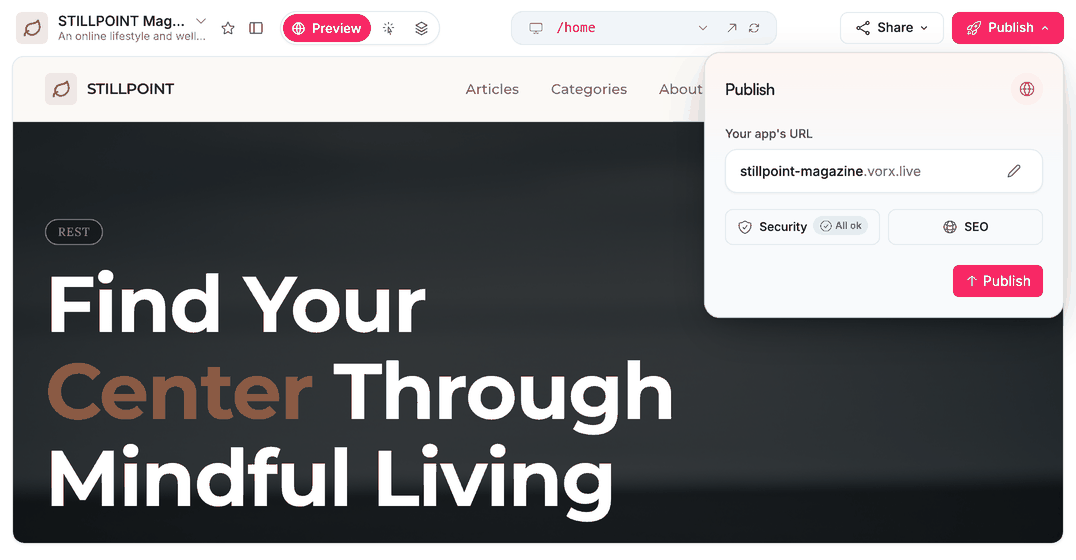
Publishing is a step in the loop rather than the end of it. Keep editing in chat and publish again whenever you are happy — your live app only changes when you say so.
Where to go next
A first app teaches you the loop; a few habits make the second one better. Read Prompting basics to get more out of every request, and The build loop for the rhythm of prompt, preview, refine. When you are ready for more than the basics, browse the features — authentication, a richer data model, and file uploads are all a prompt away. Realtime collaboration through VorxSync is on our roadmap, not in what you build today. And if you ever want to own the code outright, you can export a clean repository at any time.