The build loop: prompt, preview, refine
By The Vorx Team
Every app you make in Vorx comes together through the same short loop: prompt, preview, refine. Once you feel the rhythm, building stops feeling like a project and starts feeling like a conversation.
Prompt: describe what you want
The loop starts with a plain-English description. Name the users and the core screens so Vorx has something concrete to build toward.
A good first prompt is specific but not exhaustive:
Build an internal tool where the support team logs bugs, assigns them to engineers, and tracks status from open to closed.
You don't need to describe every field or button up front. The first prompt's job is to give you a solid starting point to react to; the details come later in the loop.
If the feature is large or you're not sure Vorx will read you the way you intend, switch the composer to Plan mode. Vorx proposes the screens, data changes and steps before writing any code, so you can correct a wrong assumption while correcting it is still cheap. Then switch back to Build and let it run.
Preview: click through the real app
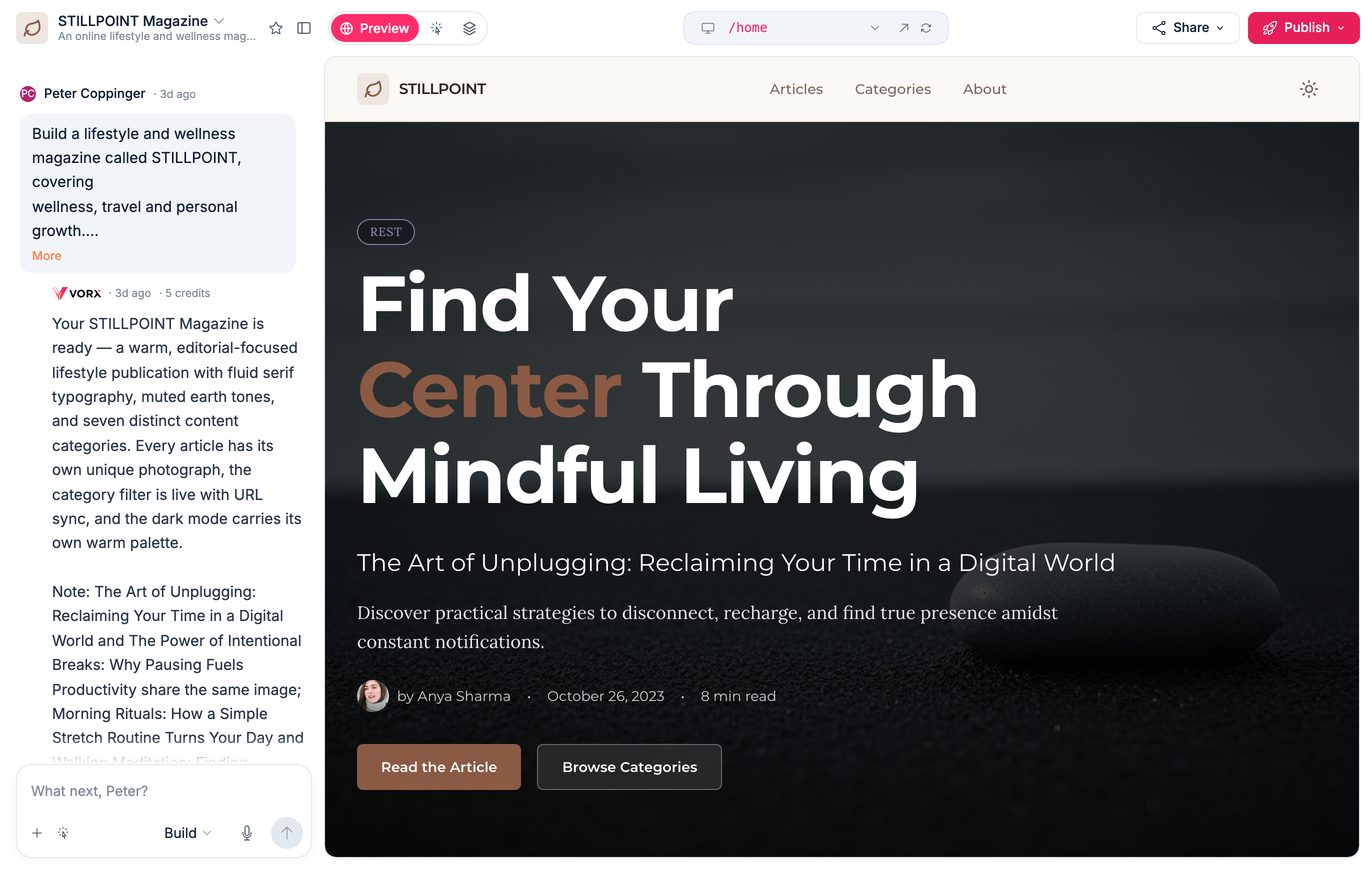
Vorx designs, generates and verifies the app, then renders it live beside the chat. A first build takes several minutes — part of that is Vorx signing in as a test user and clicking through the main flows before you ever see them.
Use the preview the way your users would:
- Add a record and watch it appear in a list.
- Open every screen and check the navigation flows.
- Try the sign-in flow and any forms.
- Narrow the window to phone width and walk the main path again.
Clicking through is where you learn the most. Reading a description of a screen tells you far less than using it for thirty seconds.
Refine: ask for changes, one at a time
When you spot something to change, ask for it in chat. Small, single-purpose requests work best, because each one is easy to confirm:
- Add a priority field with low, medium and high.
- Sort the bug list by newest first.
- Move the assignee dropdown above the description.
For a tweak that's easier to point at than to describe — this heading, that button — switch the preview to visual mode, click the element, and say what you want. Vorx knows exactly which one you meant.
Vorx applies the change and the preview updates. You look, confirm, and move to the next request. That tight cycle — change, look, confirm — is the heart of the loop.
If a request bundles three changes and one lands wrong, it's harder to tell which part missed. Keep each ask focused.
The safety net under it
Every change is saved as a checkpoint. If an edit takes the app somewhere you don't want, roll back to any earlier point, or just say undo that in chat. Rollback doesn't call a model, so it doesn't cost credits — backing out of a bad edit is always cheaper than describing your way forward out of it.
Knowing that changes the way you build. Ask for the ambitious version of a feature; if it doesn't land, you're one click from where you were.
Keep the loop tight
- React to the preview, not your imagination. Build, look, then decide the next change from what you actually see.
- Fix the biggest problem first. Structure and screens before colours and copy.
- Say what you want, not how to build it. "Group tasks by project" beats technical instructions.
- Watch what each reply costs. Every turn shows its credits, so you learn quickly which kinds of request are expensive.
Most apps take shape over a handful of passes, each one narrowing the gap between what you have and what you pictured.
Ship when it's ready
There's no separate finishing stage. When the preview does what you need, publish it and share the URL. Your edits stay in the preview until you publish again, so next week's change can't leak out half-finished — you re-enter the loop, and publish when you're happy.
Want to go deeper on refining? Read editing your app in chat and code.
In the docs: Iterating in chat and Build and Plan modes.