

Building
Build and Plan modes
Choose whether Vorx builds immediately or proposes a plan first — and when each is the right call.
The composer has three modes. All three start from the same prompt; they differ in whether Vorx acts right away, tells you what it'll cost first, or thinks out loud before touching anything.
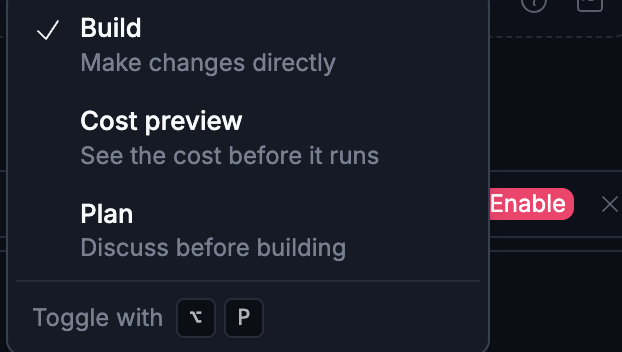
Build mode
Vorx implements the change immediately and shows the result in the live preview. This is the default and the right choice for most work: small features, tweaks, and anything where seeing it is faster than discussing it.
Cost preview mode
Vorx estimates the credit cost before doing anything, and waits for you to approve it.
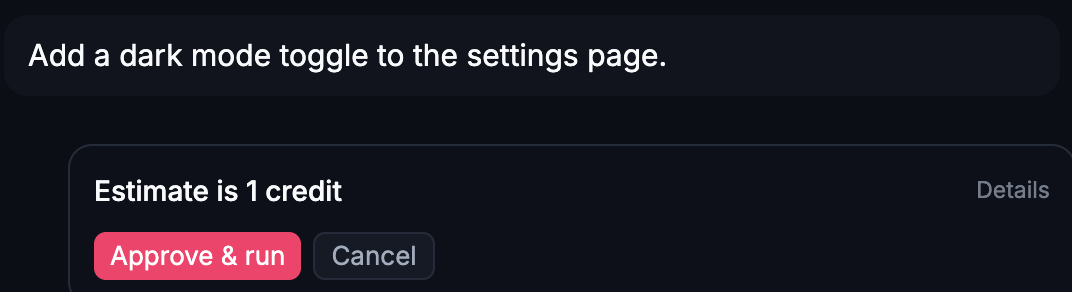
Send a message in this mode and you get an estimate — "Estimate is 1 credit" — with Approve & run or Cancel, plus a Details link for the breakdown. Nothing changes in your app until you approve. Reach for it when you want the cost decision separated from the build itself, rather than watching it go by in the reply afterward.
Plan mode
Vorx proposes an approach — the screens, data changes, and steps — before writing any code. You review the plan, adjust it, and then let it build. Reach for Plan mode when:
- The feature is large or touches several parts of the app.
- You want to catch a wrong assumption before code is generated.
- You're investigating a problem rather than fixing it yet.
- You're handing the plan to a teammate to review.
Because Vorx designs before it generates (how a build works), a plan is a chance to read that design and correct it while changing it is still cheap.
Switching between them
Toggle the mode in the composer at any time; the setting is remembered per project. A common rhythm is Plan the first, ambitious version of a feature, then Build the small refinements on top of it.
What each costs
Build and Plan are both charged the same way: on the real model spend for that run, rounded up to whole credits, with a minimum of one credit per charged run. A Plan-mode message doesn't generate code, so in practice it usually lands at the one-credit floor — but a long investigation across a large project can cost more. Cost preview shows you that same estimate up front and only charges once you approve it — cancelling costs nothing.
Each reply in chat shows what that turn actually used, so you never have to guess. See Plans and credit usage.
Tips
- If a Build-mode result surprised you, re-run the same request in Plan mode to see the reasoning behind it.
- A plan you disagree with is useful information — correct it in a reply rather than starting over.
- Plans don't change your app, so there's nothing to roll back if you decide against one.
Next steps
- Writing good prompts — what to put in any mode
- Iterating in chat — the loop after the plan
- Version history — the safety net under Build mode