

Account
Roles and permissions
The four workspace roles, what each can do, and how they relate to per-project sharing.
Not everyone on a team needs the same level of access. Roles let you bring people into a workspace while keeping control of who can change what.
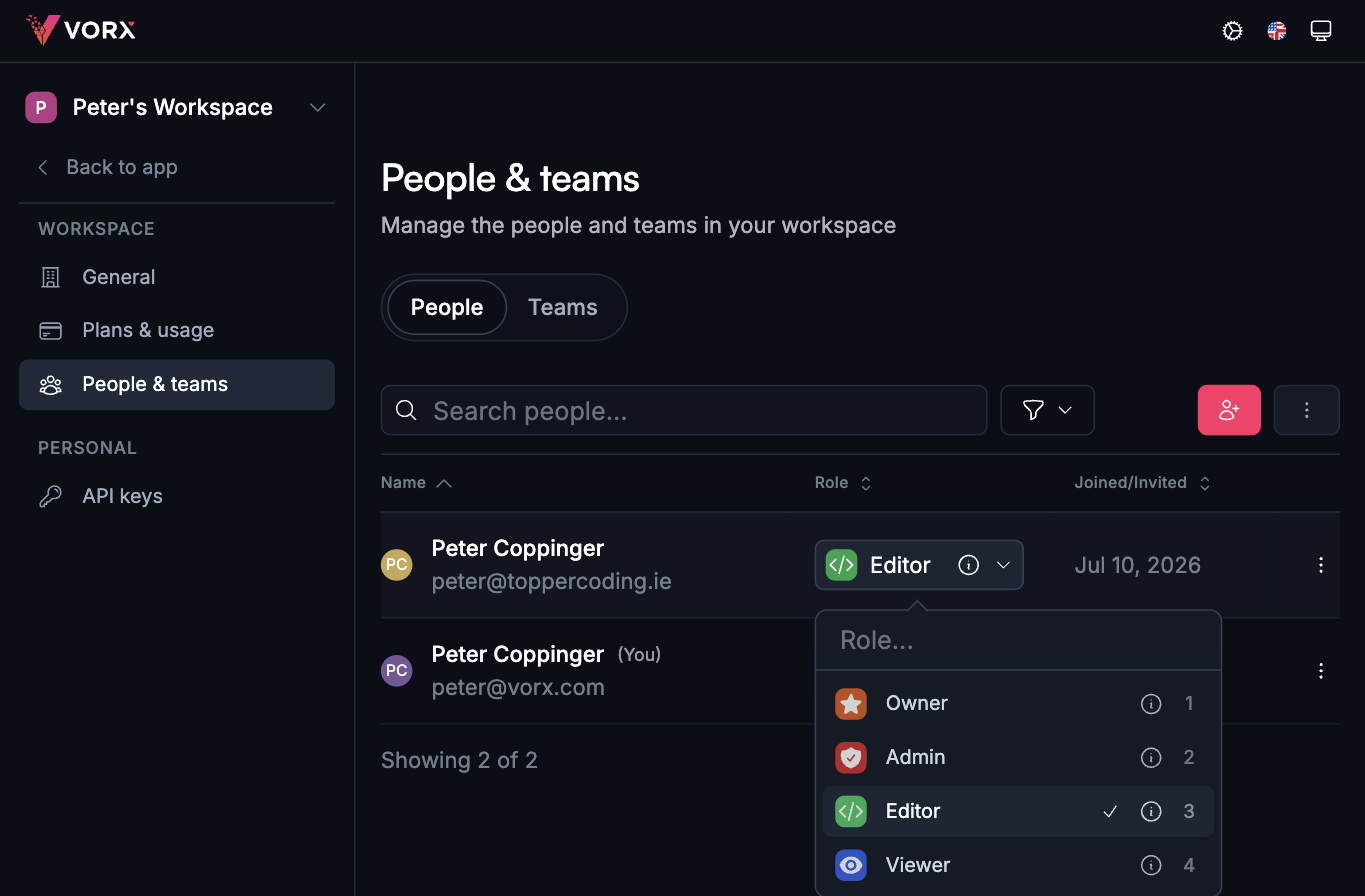
The four workspace roles
Every member of a workspace holds one role:
- Owner — full control of the workspace, including billing and ownership.
- Admin — manage the workspace, its members and its projects.
- Editor — create and edit projects within their assigned teams.
- Viewer — browse projects without creating or changing anything.
Viewers can look, not touch
A Viewer is the safe way to bring in a stakeholder, a client, or someone joining next week. They can open projects and click through them, but they can't create a project or change an existing one — and that's enforced on the server, not just hidden in the interface.
Roles versus project sharing
The two work together and answer different questions:
- Your workspace role decides what you can do in general — manage members, manage billing, build at all.
- Project sharing decides who reaches an individual project, as Can edit or Can view. See Sharing and permissions.
Your app's roles are a different thing again
The roles above govern who can build in Vorx. The roles inside the app you're building — admins, members, customers — are yours to define, and are set up in chat. See Authentication.
Enforced everywhere
Permissions aren't just hidden buttons. The rules are applied behind the scenes as well, right down to which rows the database will return, so there's no route around them.
Next steps
- Sharing and permissions — per-project access
- Teams — managing members
- Authentication — roles inside your app