

Data & backend
Working with your database
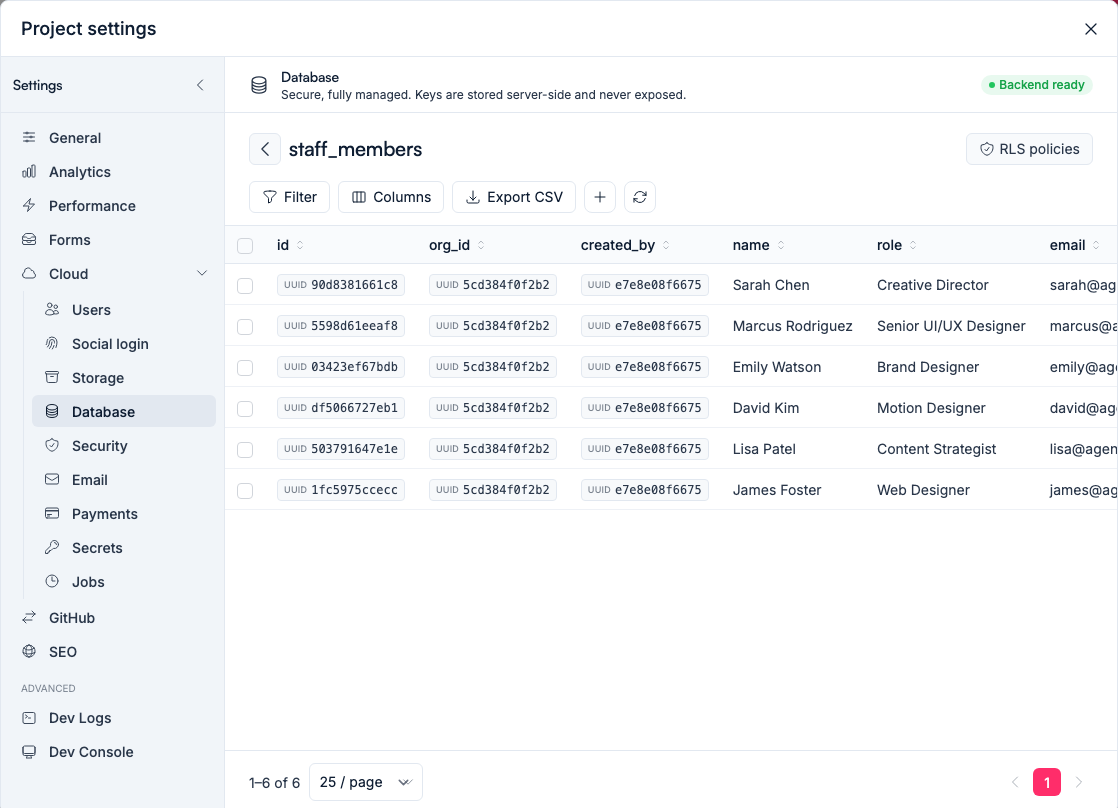
Browse tables, inspect rows and make quick edits to your app's data directly, under Settings → Cloud → Database.
Behind every Vorx app is a real database. Most of the time you'll shape it through chat, but you can also open it directly to see and edit what's inside.
Find it under Settings → Cloud → Database.
Browse your tables
See every table in your app and the records in each, with filtering and sorting. It's the quickest way to confirm that a form saved what you expected, or to check the shape of your data before you build a screen on top of it.
Edit rows by hand
Need to fix a value, add a test record or clear something out? Edit rows directly instead of building a screen for it. Handy for quick corrections while you're still building.
Two things worth knowing before you do:
- Check which environment you're in. Preview and production have separate databases — see Environments.
- Row edits aren't covered by rollback. Version history rewinds your app's code, not its rows.
Let Vorx change the shape
Structural changes — new tables, new fields, new relationships — are best made in chat, so the app's screens update alongside the data. Describe the change and Vorx keeps the UI and the database in step. Renaming a column by hand will quietly break every screen that reads it.
Run SQL when you need it
For anything the grid can't express, the SQL editor runs statements against your own database directly. It's the deliberate, owner-only escape hatch — useful for a bulk correction or a one-off report, and worth reading twice before you run a DELETE.
Row-level security
Which rows each signed-in user can see is enforced in the database itself, not just hidden in the UI. You can review those rules alongside your tables — see Authentication for how scoping is set up.
Your data is yours
The records in your app belong to you. Export a table to CSV from the data view, and when you're ready to move on or integrate elsewhere, your data comes with you.
Next steps
- Your data model — designing the shape in chat
- Environments — preview and production data
- Security — how access is enforced