

Data & backend
Secrets and environment variables
Store API keys and config securely so your app can use them without exposing them in the browser.
Secrets are encrypted values — API keys, tokens, configuration — that your app reads at runtime on the server. They're how integrations stay secure.
Manage them under Settings → Cloud → Secrets.
Add a secret
Add a name and value (for example STRIPE_SECRET_KEY), then reference it in a prompt — "use the Stripe key" — and Vorx reads it inside backend functions.
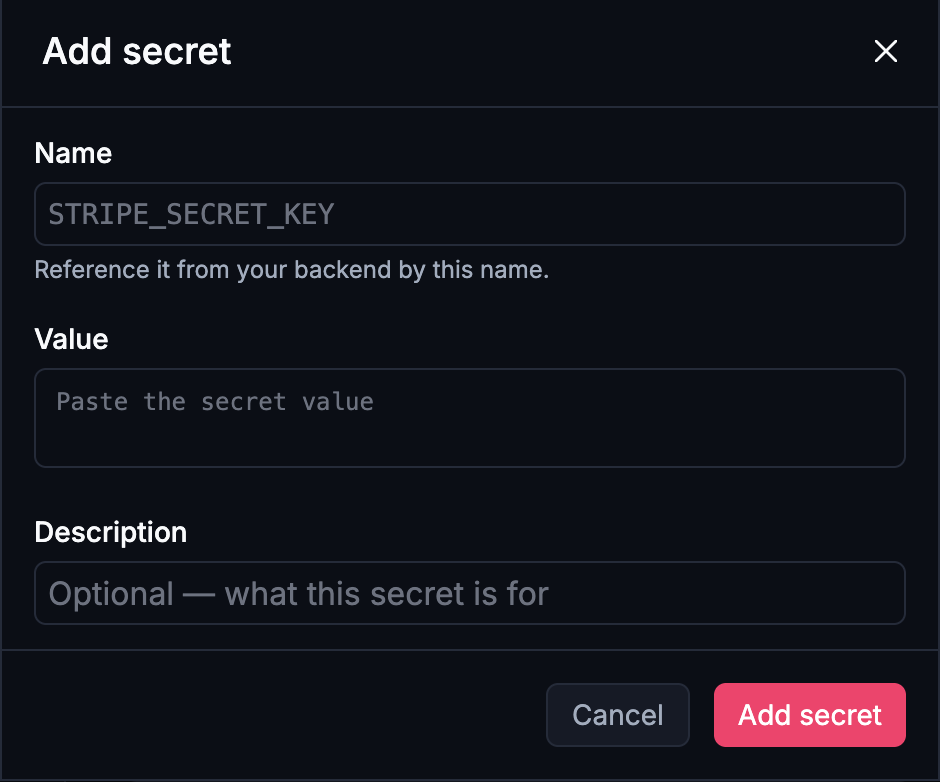
Use the conventional upper-case, underscore-separated name for the service where there is one; it makes the generated code easier to read and match against the provider's own docs.
Never in the client
Secrets are only available server-side, so keys never ship to the browser or end up in your app's code. This is what makes payments, AI, and custom integrations safe.
If you ever paste a key straight into a prompt or into client code, treat it as compromised: rotate it at the provider and add the new one as a secret.
Test keys and live keys
A secret holds one value for the project, so whatever you set is what the app uses in the preview and once it's published. While you're building, use the provider's test credentials; before you take real payments or send real email, swap the value to the live key and publish again.
Getting this backwards is the classic launch-day mistake in both directions — real charges during testing, or a live app still pointed at a sandbox. See Environments.
Rotate anytime
Update a secret's value and republish — nothing else changes. Rotating a compromised key is a one-field edit, which is exactly what you want at the moment you need it.
Next steps
- Integrations — what secrets are usually for
- Backend functions — where they're read
- Security — the wider picture